

How to Unblock Adult Telegram Channels and Groups.
Here we’ll show you two 100% working methods to fix the error “This channel can't be displayed” on Telegram.
- Method 1: Using the Nicegram app (absolutely free)
- Method 2: Using a virtual SIM (low-cost and effective)
Method 1: Using the Nicegram app
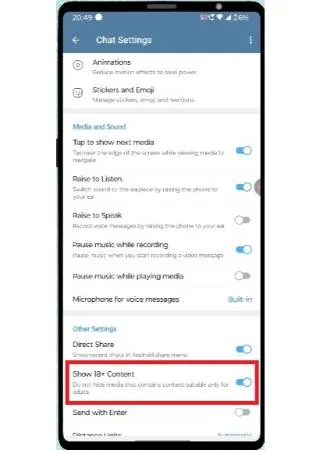
- Go to Telegram -> Settings -> Chat settings
- Make sure "Show 18+ Content" is turned on
- Download the Nicegram app from the Google Play (Android) or App Store (iOS)
- Open Nicegram website https://nicegram.app/ and click on "Login with Telegram"
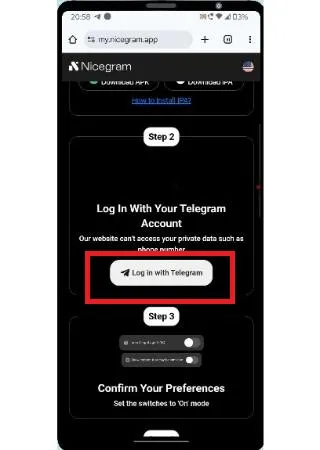
- Log into Nicegram using Telegram account
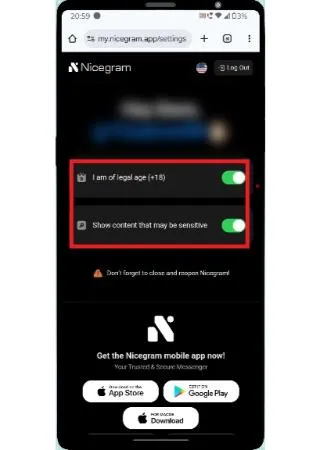
- After Login, make sure below 2 options are enabled
- Now open the Nicegram app which you already installed and login using your Telegram account.
- After login, close the app and click on the channel or group link which you want to access, and it should open without any restrictions.
- If you are still not able to open the channel, uninstall the Nicegram app and follow the same steps again.
Method 2: Using a virtual SIM
If you are still unable to access the channel, you can use a virtual SIM to create a new Telegram account. This method is low-cost and effective.
- Go to 5Sim.net
- Register an account on 5Sim.net
- Once you logged in, click on wallet and load the amount using Cryptocurrency or any other payment method.
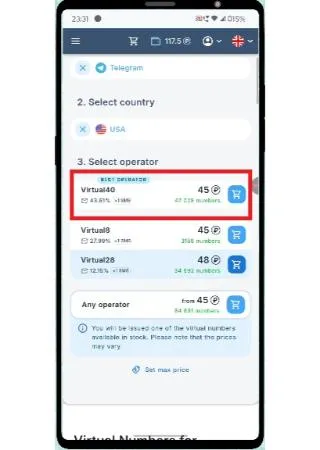
- After loading the wallet, go to homepage and choose "Telegram" from the service.
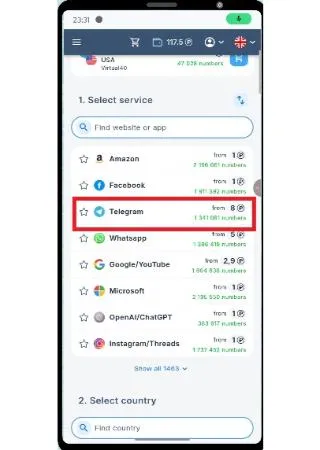
- Select "USA" from Countries
- Choose the operator which has good success percentage
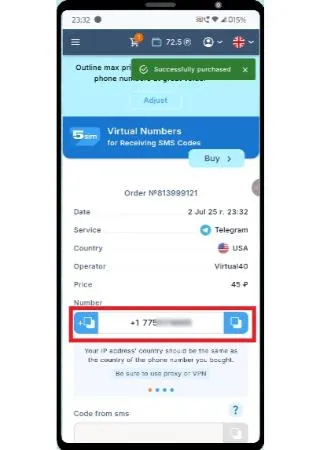
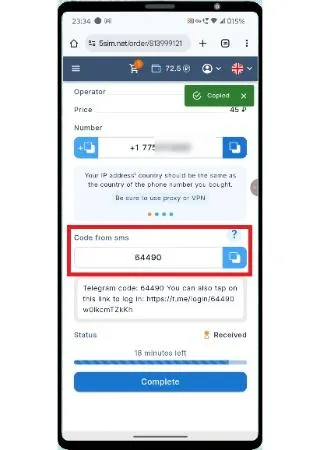
- You will get a virtual number like below
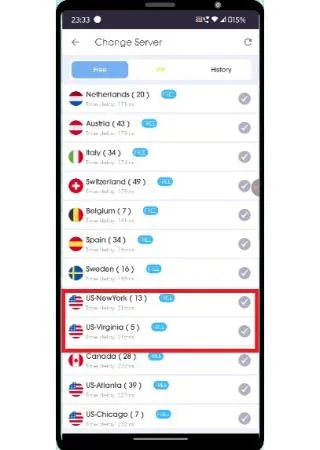
- Since you brought the virtual number from US, open any VPN app and connect to US location. VPN links: iOS / Android
- Now, Use the virtual number to create an account on Telegram, you will get the OTP for registration on 5Sim website.
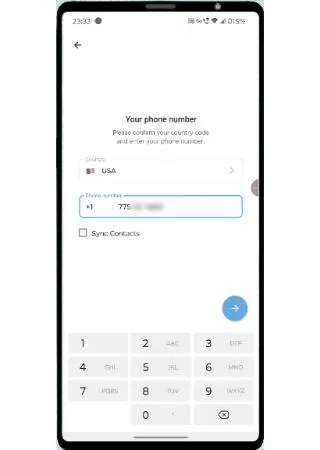
- After registration, you can access the channel or group link without any restrictions.
